

Interactive Tutorial
Google Docs Page Break
How to Insert and Remove Page Breaks in Google Docs for Better Formatting
-
Learn by Doing
-
LMS Ready
-
Earn Certificates


Try this Course with a Free Trial


While Docs automatically manages when text flows to a new page in a document, you can also manually choose where a new page starts.
Insert a Page Break
A page break is a special marker that will end the current page and start a new one.
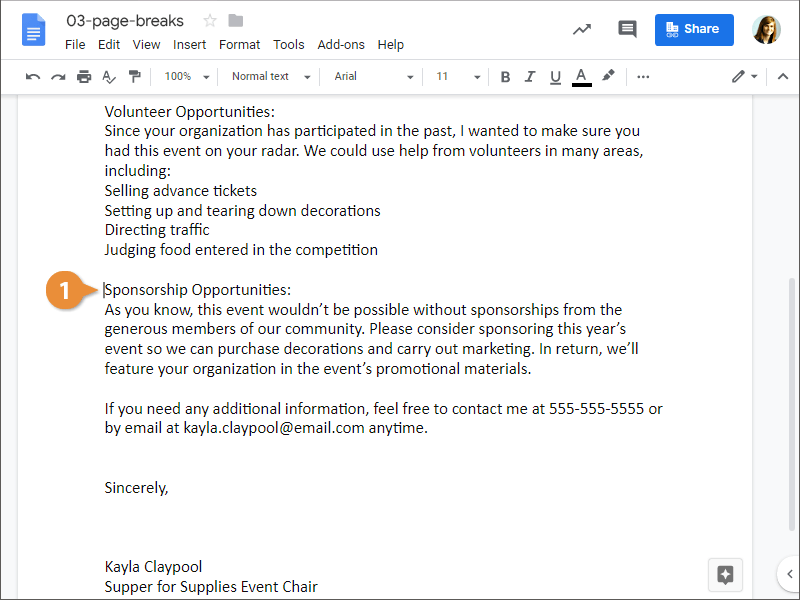
- Place the cursor where you want the page break.
- Click Insert on the menu bar.
- Select Break.
- Select Page break.
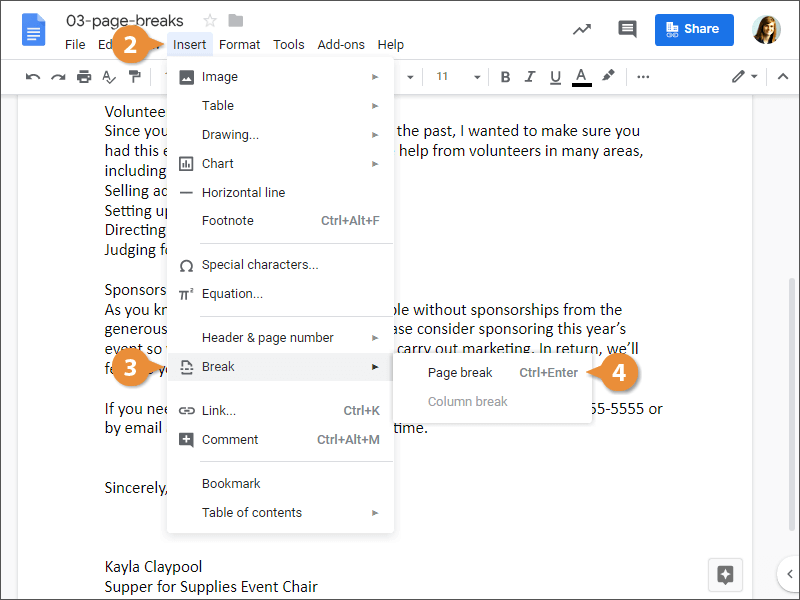
A page break is inserted, and any text after that point is moved to a new page.
You can also insert a page break by pressing Ctrl + Enter.